
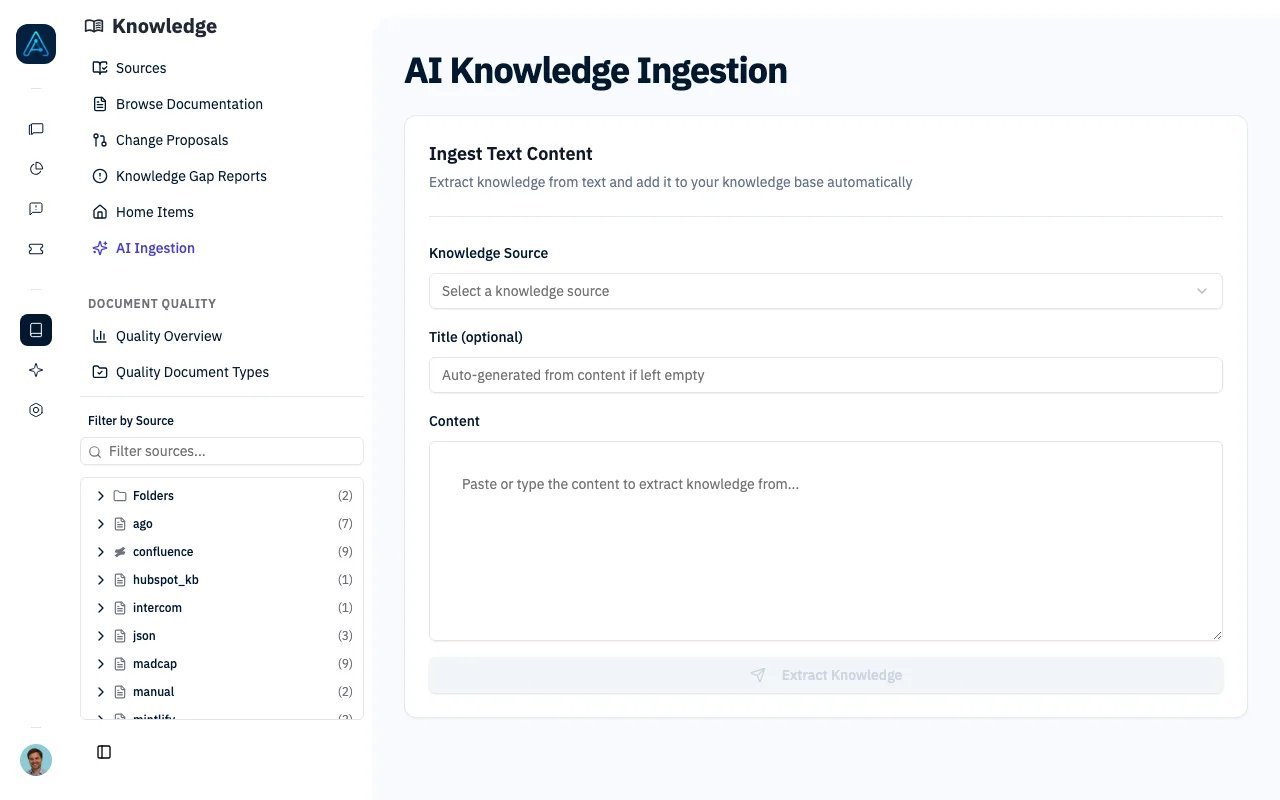
AI Ingestion
Overview
AI Ingestion provides:- Smart Extraction: AI analyzes content and extracts meaningful knowledge entries
- Automatic Deduplication: Detects duplicates and updates existing documents
- Hierarchy Organization: Places documents in the appropriate location
- Multiple Formats: Supports PDF, Word, PowerPoint, Excel, HTML, and more
Supported File Formats
Documents
Images (with OCR)
How It Works
1
Content Parsing
Files are converted to Markdown text. The system computes a content hash (SHA-256) to detect re-processing of identical content.
2
Granularity Analysis
AI analyzes the content structure to determine the best extraction strategy:
3
Knowledge Extraction
AI extracts knowledge entries with metadata:
Each entry includes:
- Title
- Content
- Summary
- Entry type
- Confidence score (0.0 - 1.0)
4
Deduplication
For each extracted entry, the system checks for duplicates:
- Semantic Search: Find similar documents using embeddings (threshold: 70% similarity)
- LLM Analysis: Compare content and determine action
5
Organization
New documents are placed in the appropriate location:
- AI determines the best parent category
- Creates new category nodes if needed
- Applies relevant tags
- Sets position in hierarchy
Ingesting Content
From File Upload
Via Admin Interface:- Navigate to Knowledge → Sources
- Select a source
- Click Import > Upload File
- Select your file(s)
- Monitor progress in extraction logs
From Raw Text
You can also ingest raw text content. The system supports both synchronous processing (waits for completion) and asynchronous processing (runs in the background while you continue working).ℹ️ NOTE: File upload and text ingestion are also available via API. See the Public API v1 Reference for endpoint details.
Monitoring Extractions
Extraction Status
Track the progress of an ingestion operation from the extraction logs in the admin interface. Each extraction shows its current status, source file, and processing statistics (documents created, updated, and skipped).Status Values
List Extractions
View all extraction operations in the admin interface by navigating to the source’s extraction logs. You can filter extractions by source and status.View Created Documents
After an extraction completes, you can view the documents that were created or modified by clicking on the extraction entry in the logs.Extraction Results
Document Metadata
Documents created via AI ingestion include additional metadata such as the extraction source, entry type, confidence score, and an AI-generated summary. This metadata helps you identify and manage AI-imported content.Hierarchy Changes
The extraction log records hierarchy modifications, including new categories that were created and where documents were placed in the hierarchy.Best Practices
Content Preparation
- Clean formatting: Remove headers/footers from PDFs
- Structured content: Use headings for better extraction
- Reasonable size: Very large documents may be split
Source Organization
- Create a dedicated source for AI-imported content
- Use meaningful source identifiers for tracking
- Review extracted documents for accuracy
Deduplication
- Import to sources with existing content for best deduplication
- Re-running import on same file skips unchanged content (hash detection)
- Review “Updated” documents to verify changes
Related
- Knowledge Source Management — Managing sources
- Knowledge Overview — Feature overview