
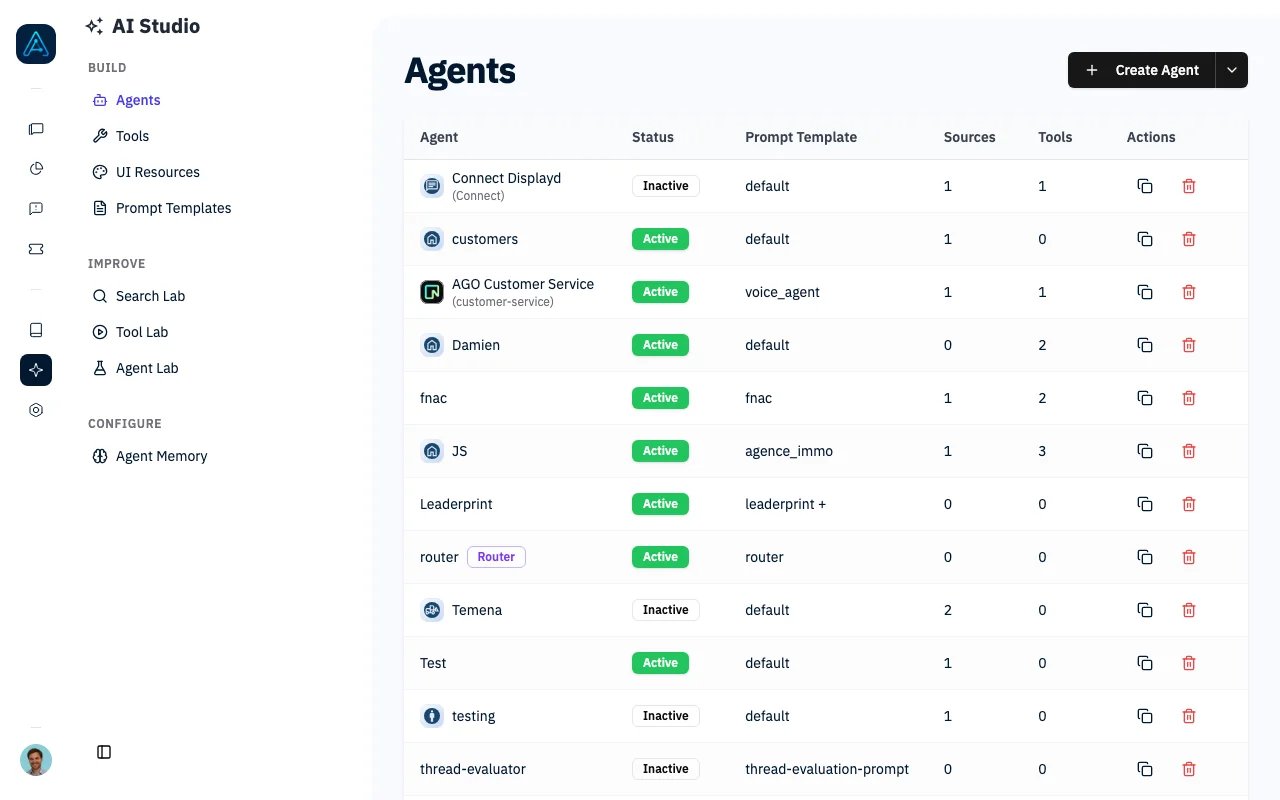
AI Studio - Agents List
What is AI Studio?
AI Studio is AGO’s agent development environment. It provides everything you need to create AI-powered assistants: from prompt engineering and tool configuration to quality testing and performance tuning.Key Concepts
Agents
An agent is an AI assistant configured for specific tasks. Each agent has:- A prompt template defining its behavior
- Access to knowledge sources
- Tools for taking actions
- LLM settings for response generation
- Permission controls for access
Prompt Templates
Prompt templates are the instructions that guide agent behavior. They define the agent’s role, personality, response guidelines, and how it uses knowledge and tools. See Prompt Templates for configuration and best practices.Tools
Tools extend agent capabilities beyond conversation. Agents can create support tickets, send emails, query external APIs, invoke other agents, and return rich UI components. See Tools for the complete list and configuration.LLM Configuration
Configure the AI models powering your agents at the global level, then override per-agent if needed:- Main model for conversations
- Fast model for quick tasks
- Reasoning model for complex analysis
How Agents Work
When a user sends a message:- Message Routing: Determine which agent handles the request
- Knowledge Retrieval: Fetch relevant documents from sources
- Prompt Assembly: Combine template + knowledge + context
- LLM Processing: Generate response using configured model
- Tool Execution: Call tools if needed (tickets, APIs, etc.)
- Response Delivery: Stream response to user
Quality Assurance
AI Studio includes built-in testing and debugging:- Simulation Testing: Automated test suites with personas and expected outcomes
- AI Debugger: Inspect retrieval scores, tool calls, and token usage for any conversation
Configuration Hierarchy
Settings flow from global to specific. Per-agent settings override global defaults when set.Next Steps
Agents
Create and configure agents
Prompt Templates
Write effective prompts
Tools
Extend agent capabilities
Simulation Testing
Automated quality assurance
Agent Best Practices
Design patterns and tips
Getting Started Tutorial
Build your first agent step-by-step