
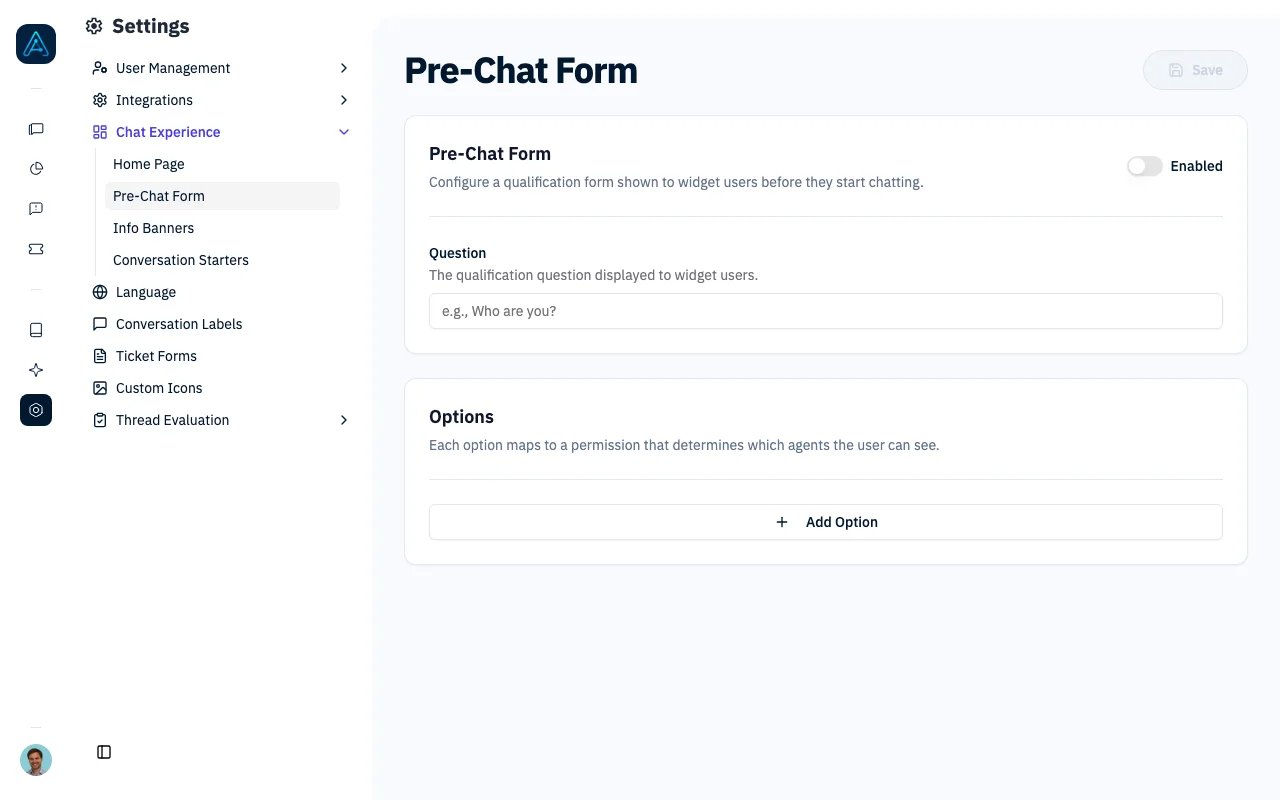
Pre-Chat Form
How It Works
- A widget user opens the chat for the first time (or on a new day).
- The qualification form is displayed with the configured question and options.
- The user selects an option.
- A permission option assigns its permission and opens the chat with the available agents. A redirect option opens its configured URL instead.
- For permission options, the form response persists for the rest of the day. Returning users see the chat directly without repeating the form.
Configuring the Pre-Chat Form
Navigate to Channels > Pre-Chat Form in the admin panel.Enable/Disable
Use the toggle to enable or disable the pre-chat form. When disabled, widget users go directly to the chat without seeing any qualification question.Question Text
Enter the qualification question that will be displayed to widget users. For example:- “Who are you?”
- “What best describes your role?”
- “How can we help you today?”
Options
Each option represents a possible answer to the qualification question. For every option, configure:- Label: The text displayed to the user (e.g., “Customer”, “Partner”, “Employee”).
- Type: Choose a permission option or a redirect option.
- Permission: For a permission option, select the permission to assign. This determines which agents the user can access.
- Redirect URL: For a redirect option, enter the destination URL. This option does not assign a permission.
- Order: The display order of the option in the form (lower numbers appear first).