
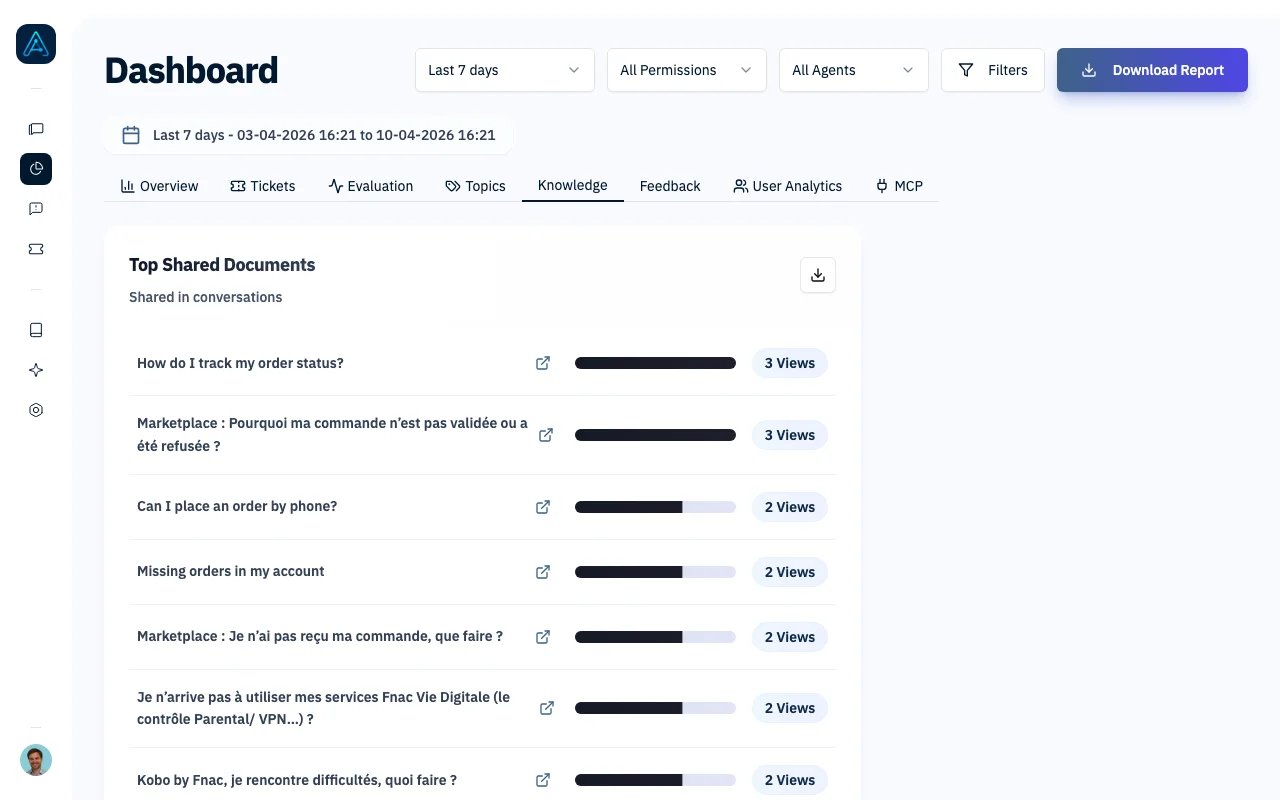
Knowledge Analytics - Top Shared Documents
Accessing Knowledge Analytics
Navigate to Dashboard in the sidebar and select the Knowledge tab.You need Admin or Account Manager permissions to access Knowledge Analytics.
Dashboard Components
The Knowledge tab displays four key lists showing your most-used content:Top Shared Documents
Shows documents most frequently included in agent responses (retrieved by the AI during conversations).Top Viewed Documents
Shows documents that users clicked on to view after the agent shared them.
The difference between shared and viewed documents can reveal:
- High shared, low viewed: Documents may not be relevant to user needs, or the agent’s response already answered the question
- High viewed: Documents that users find valuable enough to read in full
Top Tags
Shows the most frequently used tags in retrieved documents.
Tags help you understand:
- Which topics users ask about most
- Whether your tagging strategy aligns with user needs
- Opportunities to expand content for popular tags
Top Shared Sources
Shows the knowledge sources (integrations like Notion, Confluence, or uploaded files) that contribute most to agent responses.
Use this to:
- Identify your most valuable knowledge sources
- Prioritize which sources to keep updated
- Evaluate ROI of different content platforms
Filtering Options
Use the dashboard header filters to refine your analysis:Exporting Data
Each list card includes a download button to export the full data as CSV. This allows you to:- Analyze longer lists beyond the top displayed items
- Import data into spreadsheets for custom analysis
- Track changes over time by comparing exports
Available Exports
Interpreting the Data
Identifying Content Gaps
If certain topics have high user demand but low document retrieval:- Check if relevant documentation exists
- Review if documents are properly tagged
- Consider creating new content for the topic
Measuring Content ROI
Compare content creation effort against usage:- Documents created recently that appear in top lists are high-value additions
- Documents never appearing may need better tagging or reconsideration
Improving Knowledge Sources
If one source dominates the top shared list:- Consider whether other sources are properly synced
- Evaluate if other sources need better organization
- Check that sync schedules are running correctly
Understanding User Behavior
The gap between “shared” and “viewed” documents reveals:- Users clicking frequently: May need more detailed documents or better agent summaries
- Users rarely clicking: Agent responses may be sufficiently thorough
Best Practices
- Review weekly: Regular monitoring helps identify trending topics and content gaps
- Cross-reference with feedback: If a frequently-used document has associated negative feedback, prioritize reviewing it
- Update popular content first: Documents appearing in top lists should be your priority for updates and accuracy checks
- Balance coverage: If certain tags dominate, consider expanding documentation for underrepresented topics
- Track source health: Verify all knowledge sources are syncing properly and contributing to responses
Related Features
- Performance Dashboard - Overall agent metrics and volume trends
- User Analytics Dashboard - Track user engagement patterns
- Feedback Analytics - Analyze user feedback trends
- Knowledge Overview - Manage your knowledge sources