> ## Documentation Index
> Fetch the complete documentation index at: https://ago.mintlify.site/llms.txt
> Use this file to discover all available pages before exploring further.
# Update Requests
> Track and resolve knowledge gaps identified during conversations
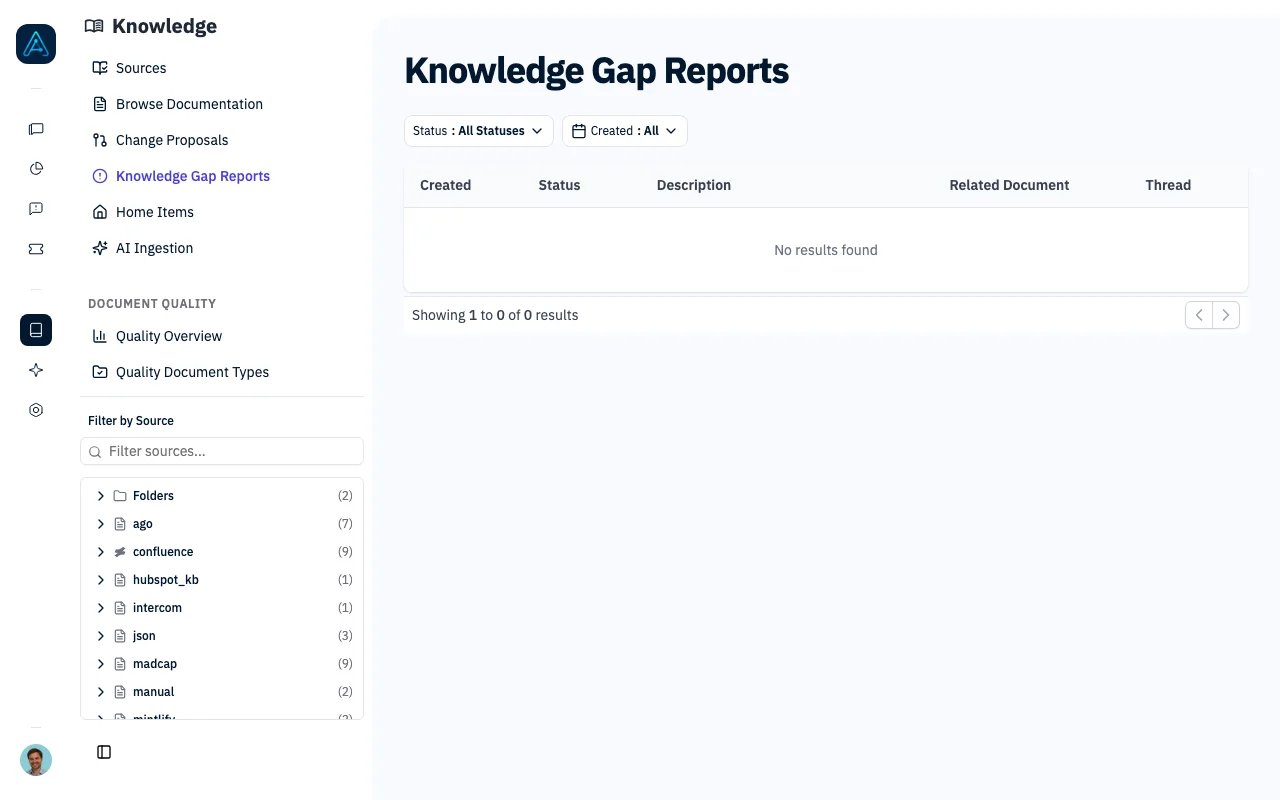 Knowledge Update Requests track questions your agents could not answer. When a gap is detected, AGO creates a request with the user's question, a summary of what is missing, and suggested edits to your knowledge base.
## Enabling the Feature
Knowledge gap detection is off by default. To enable it, go to **Settings** and turn on **Knowledge gap detection**. Once enabled, two detection paths activate:
* **From user feedback** — when a user marks an assistant reply as "information not found", AGO reviews the conversation and creates a request shortly after.
* **Nightly review** — every day at 3:00 AM, AGO scans the previous day's conversations and files requests for gaps it finds. Conversations already covered by user feedback are skipped.
A third path runs from the Agent Lab, independently of the setting above: when you start a simulation run with **Detect knowledge gaps** checked, failed answer tests are analyzed and filed as requests with the source "Simulation lab". See [Simulation Testing](./simulation-testing#detecting-knowledge-gaps-from-a-run).
```mermaid theme={null}
flowchart LR
A[User Question] --> B[Agent Response]
B -->|User feedback: information not found| C[Update Request Created]
B -->|Nightly review| C
B -->|Failed simulation test| C
C --> D[Open Report]
D --> E[Review suggested edits]
E -->|Apply| F[Resolved]
E -->|Not needed| G[Rejected]
```
***
## Viewing Requests
Navigate to **Knowledge** → **Knowledge Gap Reports**. The list shows each request with its date, status, origin (user feedback, nightly review, or simulation lab), the agent that handled the conversation, and a summary of the gap.
Use the filter bar to narrow by:
* **Status** — pending, in progress, resolved, rejected
* **Date range**
* **Origin** — where the gap came from: user feedback, nightly review, or simulation lab
* **Knowledge source** — the source a page belongs to (for example Notion or Confluence). Lists only sources with at least one request, each with its count.
* **Document** — a specific knowledge base page. A request matches a page when it is linked to that page or when its suggested edits target it, so you can pull up every request about one page and handle them in a single pass instead of one by one. Lists only pages with at least one request, each with its count.
* **Agent** — see which agent produces the most gaps
Click a row to open the full report.
***
## The Report Page
The report page shows two panels side by side:
* **Left: Conversation** — the full conversation thread with markdown rendering, so you can read exactly what the user asked and how the agent responded.
* **Right: Recommended edits** — AGO's suggested changes to your knowledge base. Each suggestion includes a type (modify an existing document, create a new one, or add a cross-reference), a rationale, and the proposed content with a **Copy** button.
Above both panels, an info bar shows the date, source, agent name, related document (if any), gap summary, status dropdown, and a notes field.
The header has two action buttons:
* **Mark resolved** — one click to close the request
* **Save** — saves the current status and notes
If suggestions haven't been generated yet, click **Generate suggestions** in the right panel.
***
## Request Statuses
| Status | Description |
| ------------- | ----------------------------------- |
| `pending` | New request, not yet reviewed |
| `in_progress` | Someone is working on it |
| `resolved` | The gap has been addressed |
| `rejected` | Not actionable — closed with a note |
***
## Best Practices
Review requests regularly with this priority:
1. **High volume topics** — multiple requests about the same subject point to a real gap
2. **Recent requests** — fix gaps before more users hit them
3. **Agent-specific gaps** — filter by agent to find which agent needs better documentation
When reviewing a request, read the conversation on the left to understand what the user actually needed. Then check the suggested edits on the right — you can copy the proposed content directly into your knowledge base editor.
***
## Related
* [Knowledge Change Proposals](./knowledge-change-proposals) — Review proposed changes
* [Knowledge Quality](./knowledge-quality) — Quality analysis
* [Version History](./knowledge-versioning) — Track document changes
Knowledge Update Requests track questions your agents could not answer. When a gap is detected, AGO creates a request with the user's question, a summary of what is missing, and suggested edits to your knowledge base.
## Enabling the Feature
Knowledge gap detection is off by default. To enable it, go to **Settings** and turn on **Knowledge gap detection**. Once enabled, two detection paths activate:
* **From user feedback** — when a user marks an assistant reply as "information not found", AGO reviews the conversation and creates a request shortly after.
* **Nightly review** — every day at 3:00 AM, AGO scans the previous day's conversations and files requests for gaps it finds. Conversations already covered by user feedback are skipped.
A third path runs from the Agent Lab, independently of the setting above: when you start a simulation run with **Detect knowledge gaps** checked, failed answer tests are analyzed and filed as requests with the source "Simulation lab". See [Simulation Testing](./simulation-testing#detecting-knowledge-gaps-from-a-run).
```mermaid theme={null}
flowchart LR
A[User Question] --> B[Agent Response]
B -->|User feedback: information not found| C[Update Request Created]
B -->|Nightly review| C
B -->|Failed simulation test| C
C --> D[Open Report]
D --> E[Review suggested edits]
E -->|Apply| F[Resolved]
E -->|Not needed| G[Rejected]
```
***
## Viewing Requests
Navigate to **Knowledge** → **Knowledge Gap Reports**. The list shows each request with its date, status, origin (user feedback, nightly review, or simulation lab), the agent that handled the conversation, and a summary of the gap.
Use the filter bar to narrow by:
* **Status** — pending, in progress, resolved, rejected
* **Date range**
* **Origin** — where the gap came from: user feedback, nightly review, or simulation lab
* **Knowledge source** — the source a page belongs to (for example Notion or Confluence). Lists only sources with at least one request, each with its count.
* **Document** — a specific knowledge base page. A request matches a page when it is linked to that page or when its suggested edits target it, so you can pull up every request about one page and handle them in a single pass instead of one by one. Lists only pages with at least one request, each with its count.
* **Agent** — see which agent produces the most gaps
Click a row to open the full report.
***
## The Report Page
The report page shows two panels side by side:
* **Left: Conversation** — the full conversation thread with markdown rendering, so you can read exactly what the user asked and how the agent responded.
* **Right: Recommended edits** — AGO's suggested changes to your knowledge base. Each suggestion includes a type (modify an existing document, create a new one, or add a cross-reference), a rationale, and the proposed content with a **Copy** button.
Above both panels, an info bar shows the date, source, agent name, related document (if any), gap summary, status dropdown, and a notes field.
The header has two action buttons:
* **Mark resolved** — one click to close the request
* **Save** — saves the current status and notes
If suggestions haven't been generated yet, click **Generate suggestions** in the right panel.
***
## Request Statuses
| Status | Description |
| ------------- | ----------------------------------- |
| `pending` | New request, not yet reviewed |
| `in_progress` | Someone is working on it |
| `resolved` | The gap has been addressed |
| `rejected` | Not actionable — closed with a note |
***
## Best Practices
Review requests regularly with this priority:
1. **High volume topics** — multiple requests about the same subject point to a real gap
2. **Recent requests** — fix gaps before more users hit them
3. **Agent-specific gaps** — filter by agent to find which agent needs better documentation
When reviewing a request, read the conversation on the left to understand what the user actually needed. Then check the suggested edits on the right — you can copy the proposed content directly into your knowledge base editor.
***
## Related
* [Knowledge Change Proposals](./knowledge-change-proposals) — Review proposed changes
* [Knowledge Quality](./knowledge-quality) — Quality analysis
* [Version History](./knowledge-versioning) — Track document changes