> ## Documentation Index
> Fetch the complete documentation index at: https://ago.mintlify.site/llms.txt
> Use this file to discover all available pages before exploring further.
# AI Debugger
> Troubleshoot agent behavior with visibility into retrieval and reasoning
The AI Debugger helps you understand and troubleshoot agent behavior by providing visibility into the retrieval and reasoning process. Use it to diagnose why agents give certain responses and improve knowledge retrieval.
## Overview
The AI Debugger provides:
* **Similarity Search Debugging**: See which documents are retrieved for queries
* **Relevance Scoring**: Understand why certain documents rank higher
* **Extraction Logging**: View how content is extracted from documents
* **Query Analysis**: Test retrieval without running full agent responses
## Prerequisites
### System Requirements
* AGO platform deployed and accessible
* Admin access to debugging tools
### Knowledge Required
* Understanding of vector similarity search
* Familiarity with your knowledge base structure
***
## Accessing the Debugger
### Via Admin Interface
1. Navigate to **AI Studio** → **Search Lab** for similarity search debugging
2. Navigate to **AI Studio** → **Agent Lab** for conversation debugging
### Debug Modes
| Mode | Purpose |
| ---------------------- | -------------------------------------------- |
| **Similarity Search** | Test how queries match documents |
| **Conversation Debug** | Analyze why an agent responded a certain way |
| **Extraction Log** | View document processing details |
***
## Similarity Search Debugging
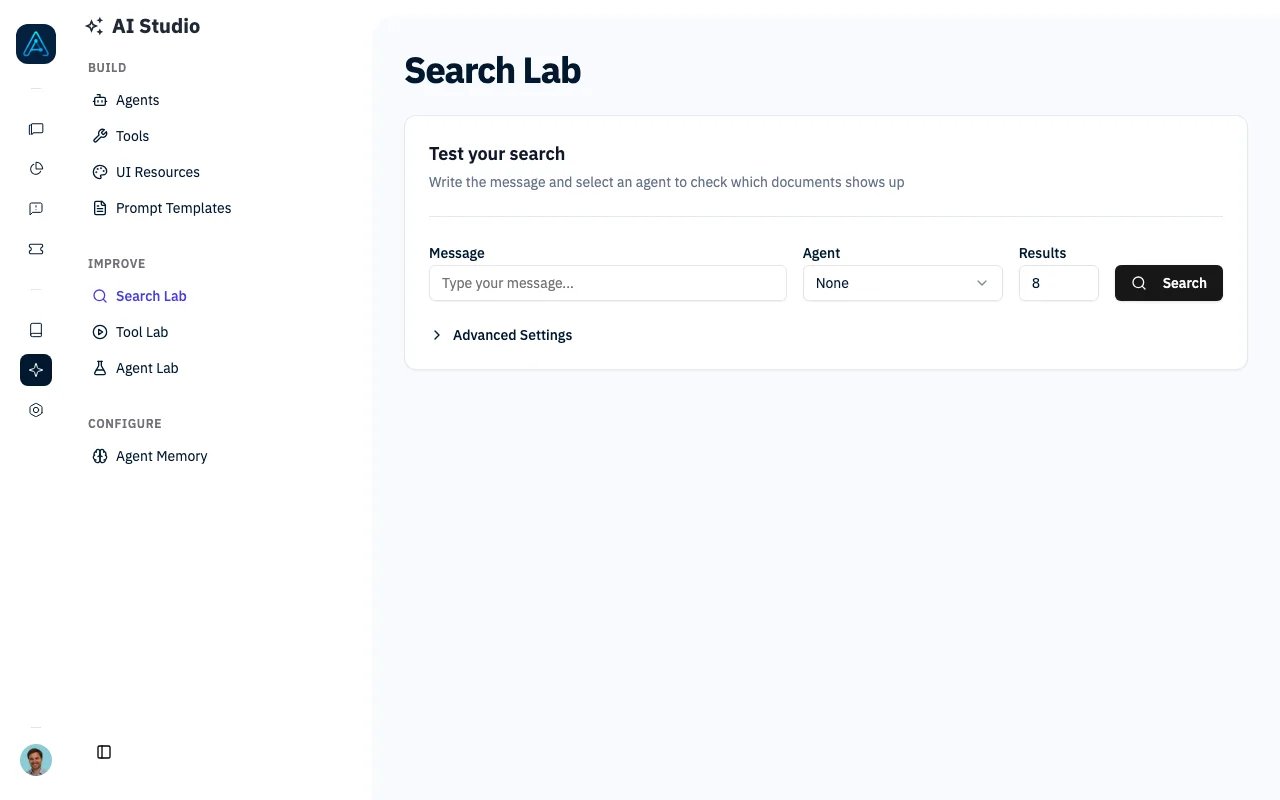
Test how queries match against your knowledge base without involving the full agent pipeline.
 ### Running a Search Debug
1. Enter your test query (e.g., "How do I reset my password?")
2. Select the agent to test against
3. Configure the Top K value (number of documents to retrieve)
4. Click **Run Search**
### Understanding Results
Results display documents ranked by relevance:
| Field | Description |
| ------------------ | ------------------------------------- |
| **Title** | Document title |
| **Source** | Knowledge source name |
| **Similarity** | Initial vector similarity score (0-1) |
| **Reranked Score** | Score after reranking (if enabled) |
| **Chunk** | Retrieved text segment |
***
## Conversation Debug
Analyze why an agent gave a specific response in an existing conversation.
### Accessing Conversation Debug
1. Go to **Chat History** → Select conversation
2. Click **Debug** on a specific message
3. View the debug panel
### Debug Information
| Section | Contents |
| ----------------------- | ----------------------------- |
| **Retrieved Documents** | Documents used for context |
| **Tool Calls** | Tools invoked during response |
| **LLM Request** | Prompt sent to the model |
| **Token Usage** | Input/output token counts |
### Debug Panel Structure
### Running a Search Debug
1. Enter your test query (e.g., "How do I reset my password?")
2. Select the agent to test against
3. Configure the Top K value (number of documents to retrieve)
4. Click **Run Search**
### Understanding Results
Results display documents ranked by relevance:
| Field | Description |
| ------------------ | ------------------------------------- |
| **Title** | Document title |
| **Source** | Knowledge source name |
| **Similarity** | Initial vector similarity score (0-1) |
| **Reranked Score** | Score after reranking (if enabled) |
| **Chunk** | Retrieved text segment |
***
## Conversation Debug
Analyze why an agent gave a specific response in an existing conversation.
### Accessing Conversation Debug
1. Go to **Chat History** → Select conversation
2. Click **Debug** on a specific message
3. View the debug panel
### Debug Information
| Section | Contents |
| ----------------------- | ----------------------------- |
| **Retrieved Documents** | Documents used for context |
| **Tool Calls** | Tools invoked during response |
| **LLM Request** | Prompt sent to the model |
| **Token Usage** | Input/output token counts |
### Debug Panel Structure
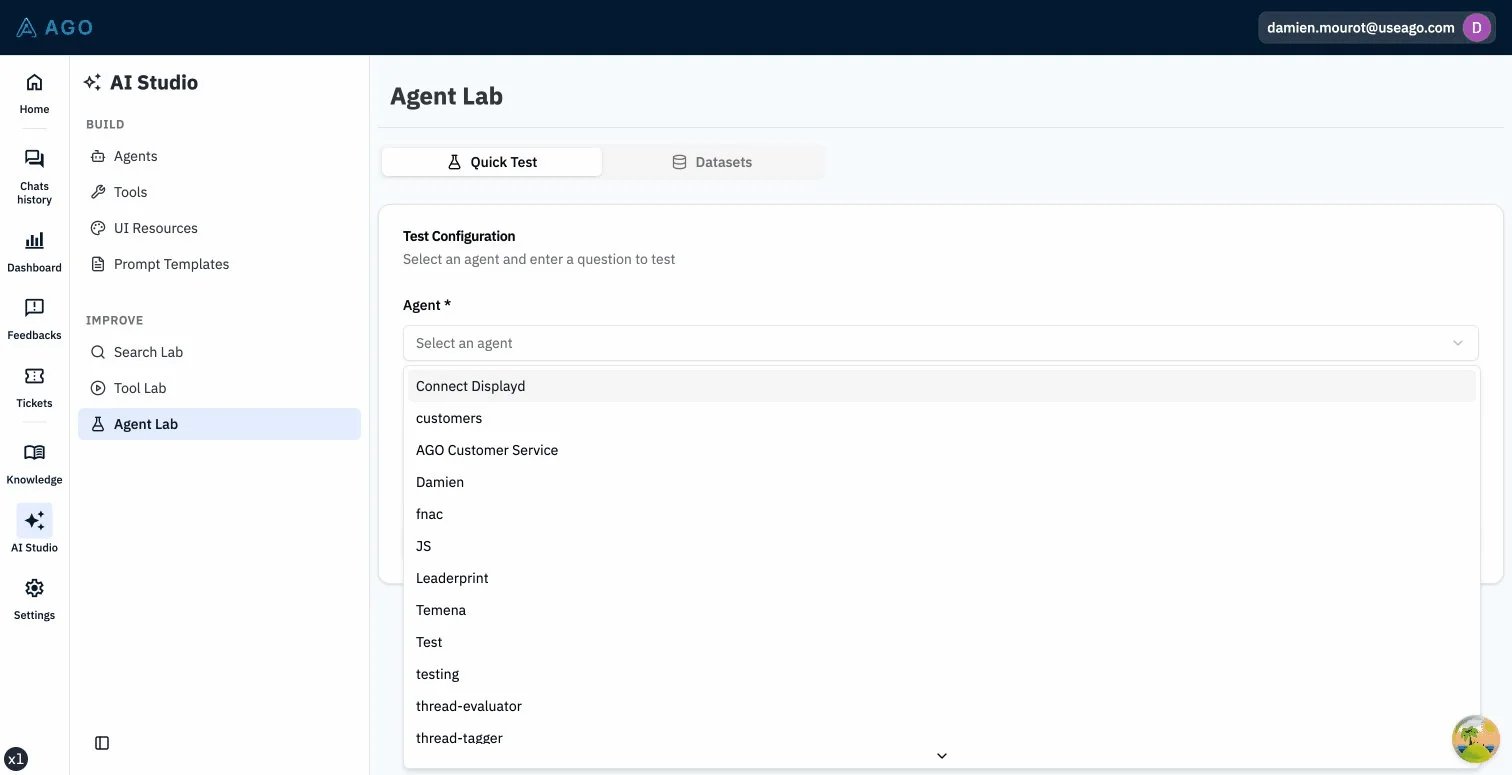 The debug panel displays expandable sections:
* **Retrieved Documents**: List of documents with relevance scores
* **Tool Calls**: Any tools invoked during response generation
* **System Prompt**: The full prompt sent to the LLM (expandable)
* **Token Usage**: Input, output, and total token counts
***
## Extraction Logging
View how documents are processed during knowledge sync.
### Accessing Extraction Logs
1. Go to **Knowledge** → **Sources**
2. Select a knowledge source
3. Click **View Extraction Logs**
### Log Information
| Field | Description |
| ------------------- | -------------------------- |
| **Document** | Source document identifier |
| **Status** | Success, Warning, or Error |
| **Chunks Created** | Number of text chunks |
| **Processing Time** | Time to process document |
| **Warnings** | Any issues encountered |
***
## Common Debugging Scenarios
### Scenario 1: Agent Can't Find Relevant Content
**Symptom**: Agent says "I don't know" for documented topics.
**Debug Steps**:
1. Open AI Debugger → Similarity Search
2. Enter the user's exact question
3. Review retrieved documents:
* Are relevant docs in results?
* What are their similarity scores?
**Common Causes**:
* Document not synced (check source status)
* Query wording doesn't match content
* Chunks are too large (relevant content diluted)
* Wrong knowledge source assigned to agent
### Scenario 2: Wrong Document Ranked Higher
**Symptom**: Irrelevant content appears before relevant content.
**Debug Steps**:
1. Run similarity search with the query
2. Compare similarity vs reranked scores
3. Check if reranker is enabled
**Solutions**:
* Enable reranker for better relevance
* Improve document titles/headers
* Adjust chunk size for better granularity
* Add more specific content
### Scenario 3: Agent Uses Wrong Tool
**Symptom**: Agent creates ticket when it should answer.
**Debug Steps**:
1. Open conversation debug for the message
2. Check retrieved documents (empty = no context)
3. Review tool call details
4. Check tool descriptions in configuration
**Solutions**:
* Improve tool prompt/description
* Verify knowledge covers the topic
* Adjust tool trigger conditions in prompt
### Scenario 4: Response Quality Varies
**Symptom**: Same question gets different quality answers.
**Debug Steps**:
1. Compare debug info across multiple instances
2. Check if different documents are retrieved
3. Review LLM temperature settings
**Solutions**:
* Lower temperature for consistency
* Pin critical documents to agent
* Improve document quality
***
## API Reference
For programmatic debugging access, see the [Public API v1 Reference](../api/public-api-v1).
***
## Best Practices
### Regular Debugging
* **Weekly Reviews**: Sample random conversations to check quality
* **After Sync**: Debug after major knowledge updates
* **User Complaints**: Debug reported issues immediately
### Improving Retrieval
1. **Test variations**: Try different phrasings of the same question
2. **Check coverage**: Verify all topics have matching content
3. **Monitor scores**: Low similarity scores indicate gaps
4. **Rerank selectively**: Enable for complex knowledge bases
### Documentation
* Keep notes on common issues
* Document patterns that cause problems
* Share findings with content team
***
## Troubleshooting
**Solutions**:
1. Reduce top\_k for faster results
2. Check system performance
3. Verify embedding service is responsive
**Solutions**:
1. Verify knowledge source is synced
2. Check agent has source assigned
3. Try broader query terms
4. Check embedding model is configured
**Solutions**:
1. Review document quality
2. Check if content matches expected queries
3. Verify embedding model is appropriate
4. Consider different chunking strategy
***
## Related
* [Simulation Testing](./simulation-testing) — Automated testing
* [Agents](../agent/agents) — Agent configuration reference
The debug panel displays expandable sections:
* **Retrieved Documents**: List of documents with relevance scores
* **Tool Calls**: Any tools invoked during response generation
* **System Prompt**: The full prompt sent to the LLM (expandable)
* **Token Usage**: Input, output, and total token counts
***
## Extraction Logging
View how documents are processed during knowledge sync.
### Accessing Extraction Logs
1. Go to **Knowledge** → **Sources**
2. Select a knowledge source
3. Click **View Extraction Logs**
### Log Information
| Field | Description |
| ------------------- | -------------------------- |
| **Document** | Source document identifier |
| **Status** | Success, Warning, or Error |
| **Chunks Created** | Number of text chunks |
| **Processing Time** | Time to process document |
| **Warnings** | Any issues encountered |
***
## Common Debugging Scenarios
### Scenario 1: Agent Can't Find Relevant Content
**Symptom**: Agent says "I don't know" for documented topics.
**Debug Steps**:
1. Open AI Debugger → Similarity Search
2. Enter the user's exact question
3. Review retrieved documents:
* Are relevant docs in results?
* What are their similarity scores?
**Common Causes**:
* Document not synced (check source status)
* Query wording doesn't match content
* Chunks are too large (relevant content diluted)
* Wrong knowledge source assigned to agent
### Scenario 2: Wrong Document Ranked Higher
**Symptom**: Irrelevant content appears before relevant content.
**Debug Steps**:
1. Run similarity search with the query
2. Compare similarity vs reranked scores
3. Check if reranker is enabled
**Solutions**:
* Enable reranker for better relevance
* Improve document titles/headers
* Adjust chunk size for better granularity
* Add more specific content
### Scenario 3: Agent Uses Wrong Tool
**Symptom**: Agent creates ticket when it should answer.
**Debug Steps**:
1. Open conversation debug for the message
2. Check retrieved documents (empty = no context)
3. Review tool call details
4. Check tool descriptions in configuration
**Solutions**:
* Improve tool prompt/description
* Verify knowledge covers the topic
* Adjust tool trigger conditions in prompt
### Scenario 4: Response Quality Varies
**Symptom**: Same question gets different quality answers.
**Debug Steps**:
1. Compare debug info across multiple instances
2. Check if different documents are retrieved
3. Review LLM temperature settings
**Solutions**:
* Lower temperature for consistency
* Pin critical documents to agent
* Improve document quality
***
## API Reference
For programmatic debugging access, see the [Public API v1 Reference](../api/public-api-v1).
***
## Best Practices
### Regular Debugging
* **Weekly Reviews**: Sample random conversations to check quality
* **After Sync**: Debug after major knowledge updates
* **User Complaints**: Debug reported issues immediately
### Improving Retrieval
1. **Test variations**: Try different phrasings of the same question
2. **Check coverage**: Verify all topics have matching content
3. **Monitor scores**: Low similarity scores indicate gaps
4. **Rerank selectively**: Enable for complex knowledge bases
### Documentation
* Keep notes on common issues
* Document patterns that cause problems
* Share findings with content team
***
## Troubleshooting
**Solutions**:
1. Reduce top\_k for faster results
2. Check system performance
3. Verify embedding service is responsive
**Solutions**:
1. Verify knowledge source is synced
2. Check agent has source assigned
3. Try broader query terms
4. Check embedding model is configured
**Solutions**:
1. Review document quality
2. Check if content matches expected queries
3. Verify embedding model is appropriate
4. Consider different chunking strategy
***
## Related
* [Simulation Testing](./simulation-testing) — Automated testing
* [Agents](../agent/agents) — Agent configuration reference